JavaScript arrays in Node.js: essential methods, immutability patterns, and when an array beats other structures. Hands-on guide.
Jonathan Juliani
Sr Software Engineer - Full Stack · WithClutch Inc. | Juliani Tecnologia
Node.jsJavaScript
You use push, , and on autopilot — until the array grows large or becomes the bottleneck. Then mutating vs returning a new array, or array vs another structure, actually matters. Episode 2 of the series.
Immutability and why map often beats in-place mutation
When an array is not the right structure
Prerequisites: basic JavaScript. If you have not read the series overview, start with episode 1.
JavaScript arrays: create, access, and avoid surprise mutation
Arrays, or simply lists, are the basics and considered in my opinion the foundation for developing and starting to know about data structures. They help organize, process and analyze data, so to make it easier, think of arrays as boxes that can store a variaty of items, where you can easily access, add or remove any of these items.
They are useful for dealing with collections of data in your applications. Exploring the use of arrays can really improve the quality and efficiency of your code.
The Basic: Understanding Arrays
An array is an ordered or unordered collection of elements, which can be of any type, from numbers and strings to objects and even other arrays. In NodeJS/JavaScript, and other languages, arrays are very flexible and can help you solve a lot of problems, you will use them many times.
Let's Create an Array in NodeJS/Javascript
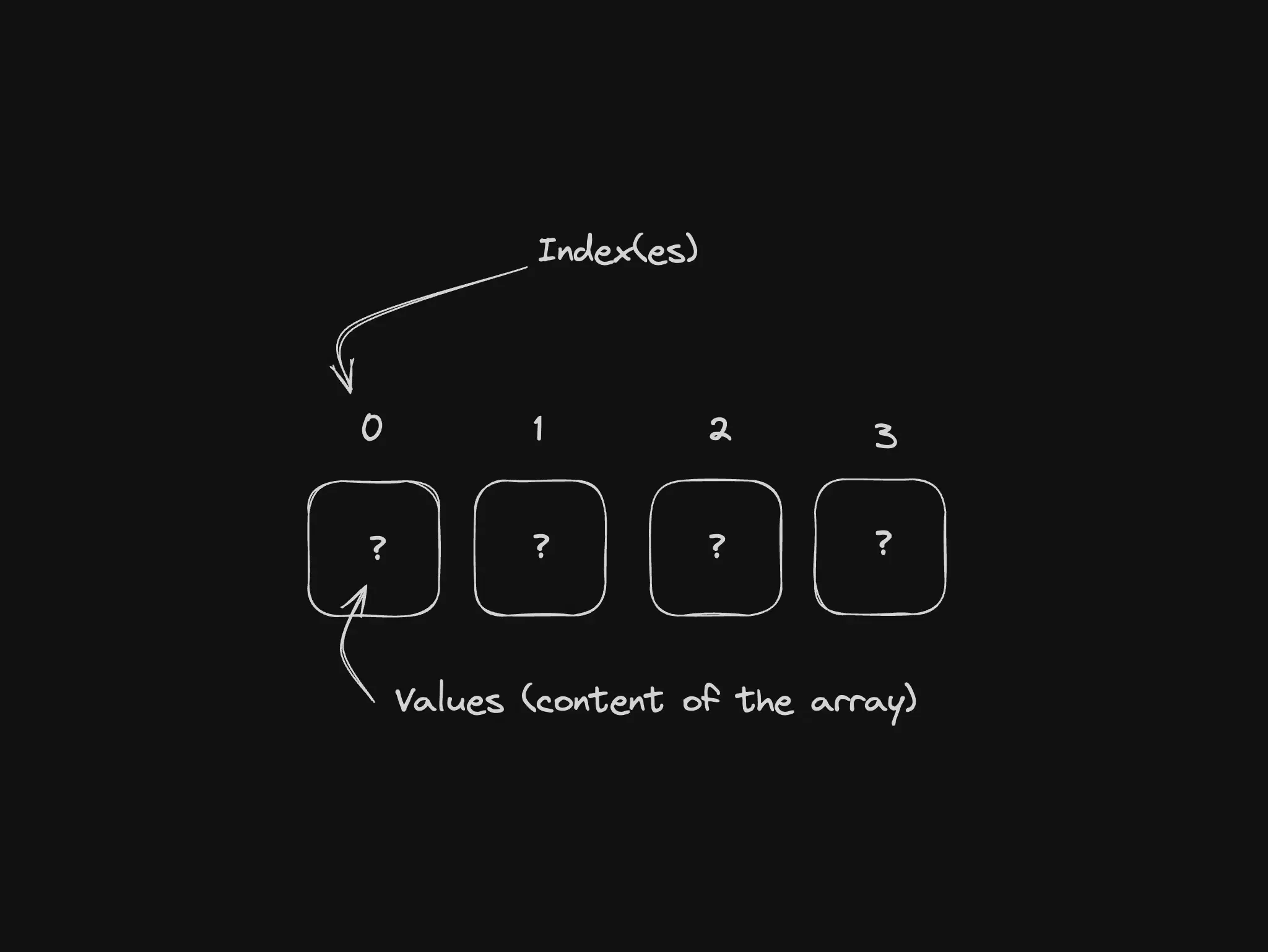
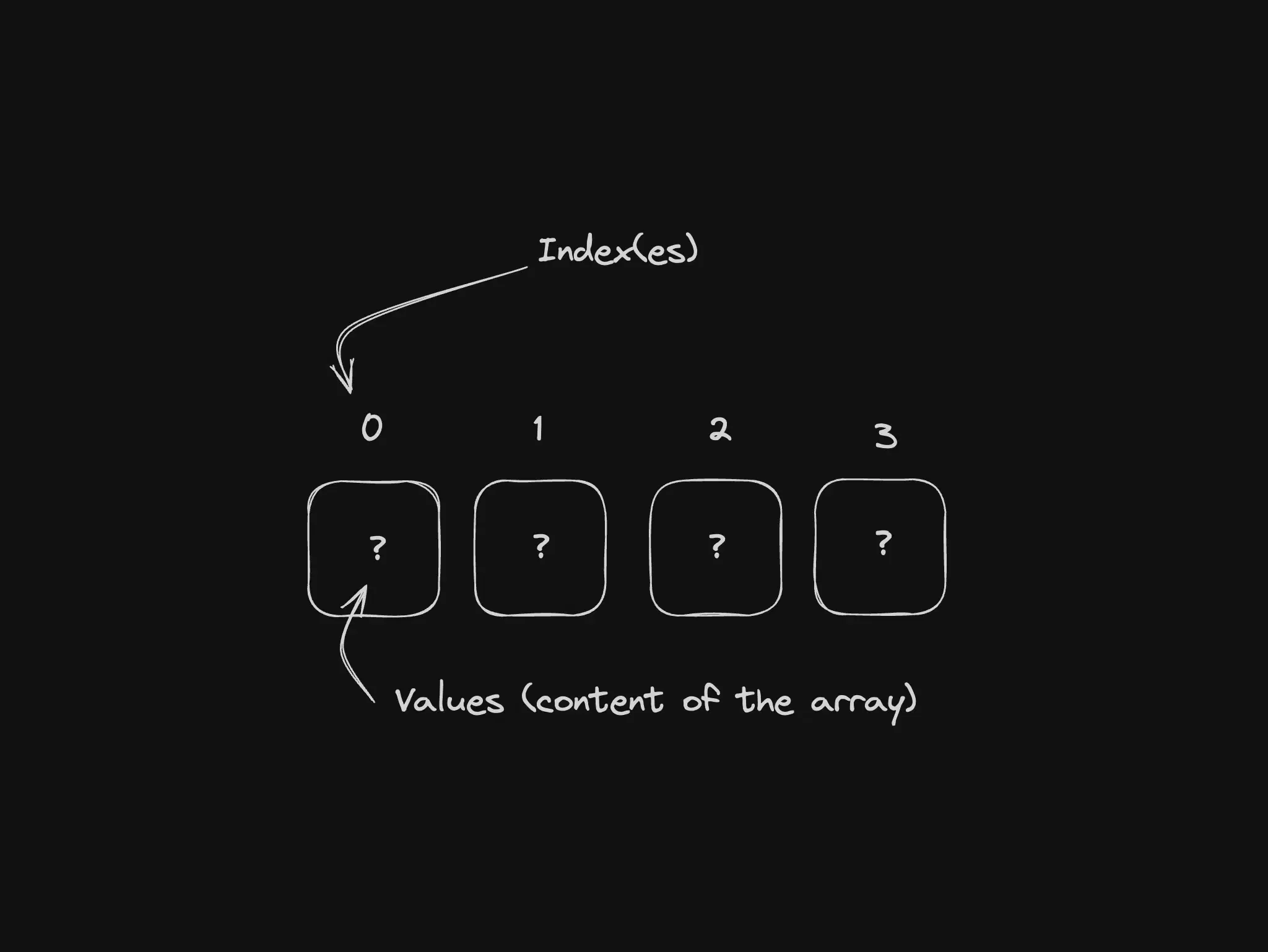
Creating an array in Node/JavaScript is very simple, it can be started with an empty array or a already fulfilled array with element(s). Accessing and modifying its elements is equally straightforward, using indexes that start at zero.
const alice = { name: 'Alice', age: 30,}const bob = { name: 'Bob', age: 28,}const people = [alice, bob]console.log(people[0])// prints: { "name": "Alice", "age": 30 }
Some Useful Array Functions
Within Node.JS/JavaScript arrays come with some built in methods/functions that facilitate operations such as adding or removing elements (push, pop, shift, unshift, among others), iterate through elements (forEach, map, filter), and much more. Let's see a summary of some here?!
push: Adds one or more elements to the end of an array and returns the new length of the array.
code
const arr = [1, 2, 3]arr.push(4)// arr now is [1, 2, 3, 4]
pop: Removes the last element from an array and returns the removed element.
code
const arr = [1, 2, 3]const poppedElement = arr.pop()// arr now is [1, 2] and the pop element is 3
shift: Removes the first element from an array and returns the removed element.
code
const arr = [1, 2, 3]const shiftedElement = arr.shift()// arr now is [2, 3] and the shifted element is 1
unshift: Adds one or more elements to the beginning of an array and returns the new length of the array.
code
const arr = [2, 3]arr.unshift(1)// arr now is [1, 2, 3]
map: Executes a callback function on each element of the array and returns a new array with the results.
Pro tip: if you don't need a new array with the results, then you don't need to use map, use forEach.
code
const numbers = [1, 2, 3]const doubled = numbers.map((num) => num * 2)// doubled now is [2, 4, 6]
filter: Returns a new array with all elements that passed the test implemented by the callback function.
code
const numbers = [1, 2, 3, 4, 5]const evenNumbers = numbers.filter((num) => num % 2 === 0)// evenNumbers now is [2, 4]
forEach: Executes a callback function on each element of the array, it doesn't return anything, it just does what you're asking :)
What about reduce, includes, find, findIndex, concat, slice, splice…?
There are many functions built in for arrays in NodeJS/Javascript and of course in other programming languages, if you want a simple explanation like the ones above about these functions too, let me know in the comments bellow and I'll create another post just about functions in arrays, the idea here was to give you a brief summary on what you can do with arrays.
Beyond the Basics
Managing Collections
Arrays are fundamental in for managing collections, allowing you to filter, sort and map data sets efficiently. This capability is essential for dealing with data from databases, files, or APIs.
Other Data Structures and Algorithms
Arrays are generally the base for other complex data structures such as stacks and queues. Furthermore, they are fundamental in sorting and search algorithms.
Edge cases: map does not clone nested objects
map, filter, and { ...arr } give you a new array, but elements can still be the same object references:
But I used map so I would not mutate — why did the original change? Because you copied the array, not necessarily every nested object. For deep trees use structuredClone, a library, or explicit logic — that is shallow copy, not a map bug.
Another gotcha: sort()mutates the original. Keep order intact with const sorted = [...nums].sort((a, b) => a - b).
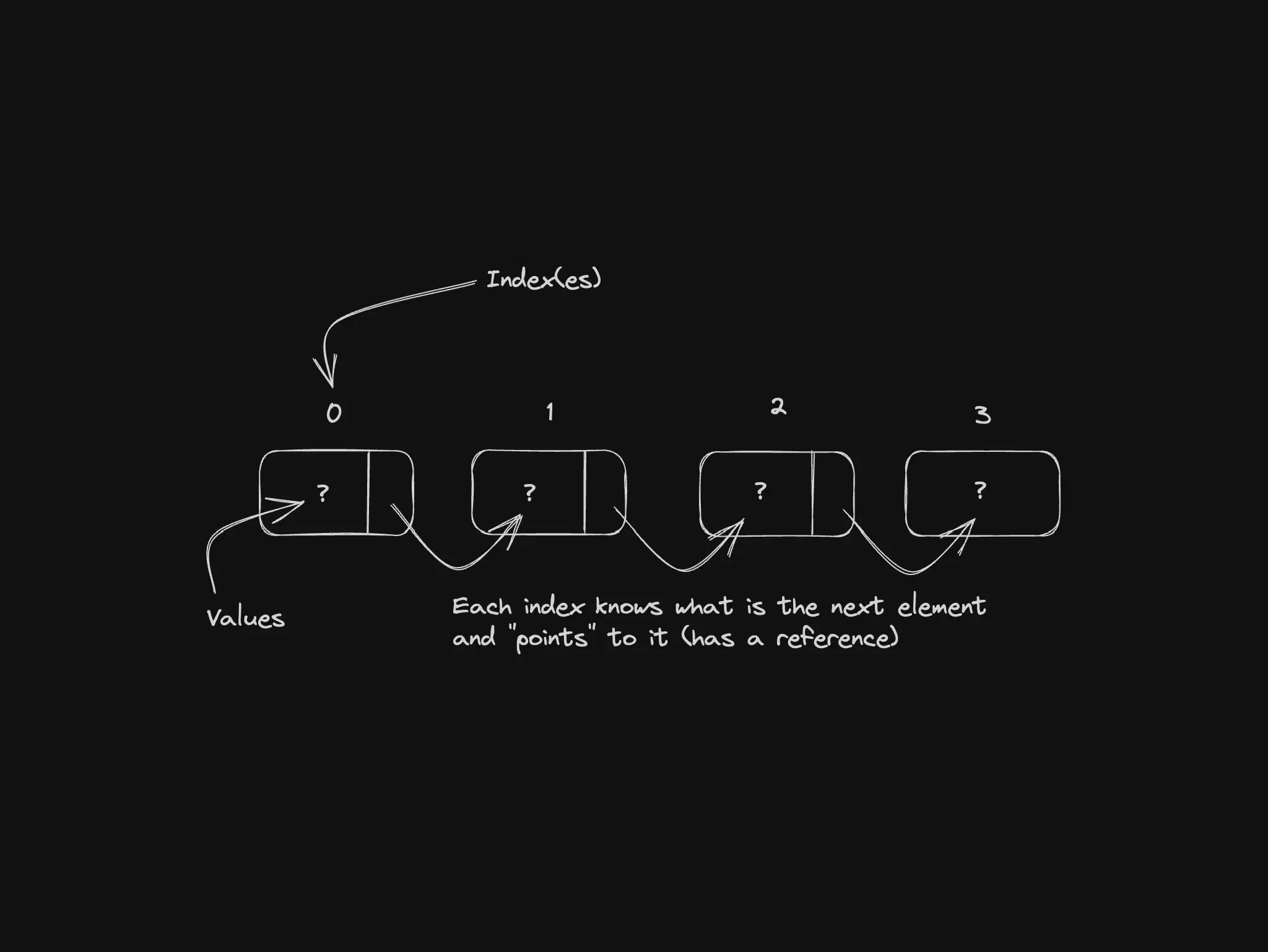
When not to use an array: constant insert/remove in the middle of a huge list — a linked list often wins (next episode).