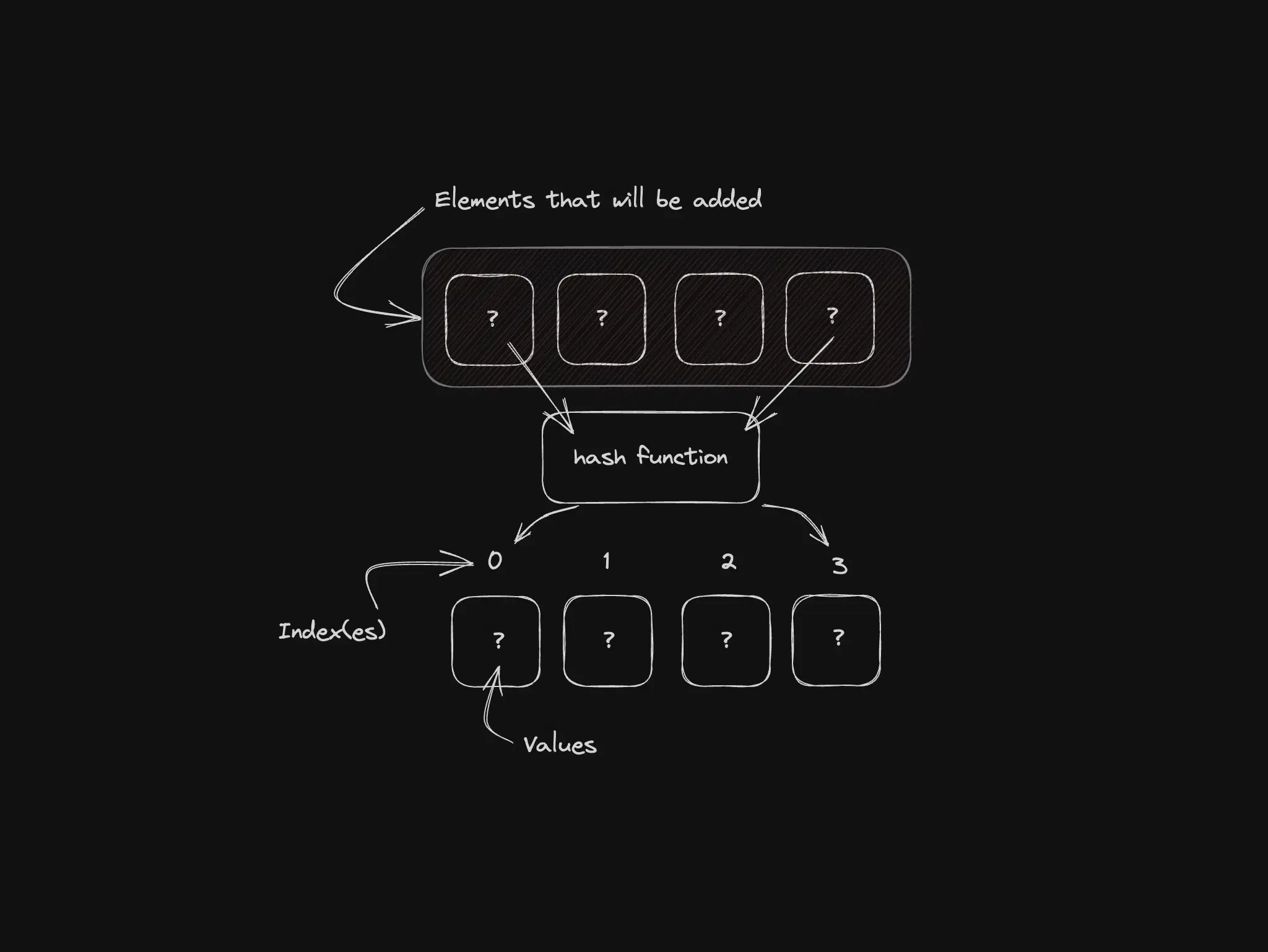
Hash Tables are a type of data structure where the goal is to optimize the search, insertion, and removal of elements, so in other words, making all of this as fast as possible.
When we are working with Hash Tables this allows an almost instant access to the information/data of the elements using a unique key(s)... does this remind you of something? Let's say when you access the value of an element by a specific and unique key, does it remind you of something?
We are talking about tables in this case, but when you access a JSON object, you access it by a unique key right? and you have access to the value of that key directly... It's a weird comparison but I think it may help you understand the concept in a simpler way.
With that in mind think that in a JSON object you have the key and can find the value, and in a Hash Table we will also have a key that points to a value but the difference is that in a Hash Table we will have an algorithm that calculates and returns the key for us, so we don't know at first the exactly value of that key to find an element like in a JSON object, but we know that the key is there...and this key leads to an element in our table.
But sit down, and relax, you won't remember everything all the time, so come here to remember whenever you need.
Hands-on
NodeJS/JavaScript already has a built in implementation of Hash Table which is the Map, whenever we use the Map in NodeJS/Javascript we are using an implementation of Hash Tables, sometimes we don't remember or don't know that, did you knew it?
But, why would I make you read all of this and tell you to go use the Map right? Let's try to make this thing from scratch and see what comes out...
Now the Actual Hands-on
Let's open your favorite IDE and start typing!! Create a file called hash-table.js and paste the code below:
code
class HashTable { constructor(size = 100) { this.table = new Array(size) this.size = size } _hash(key) { let hash = 0 for (let i = 0; i < key.length; i++) { hash = (hash + key.charCodeAt(i) * i) % this.size } return hash }}
Let's break down a little the code above, before we do anything else:
We have a HashTable class that takes an optional size parameter and if we don't pass a size, we set it to 100 by default.
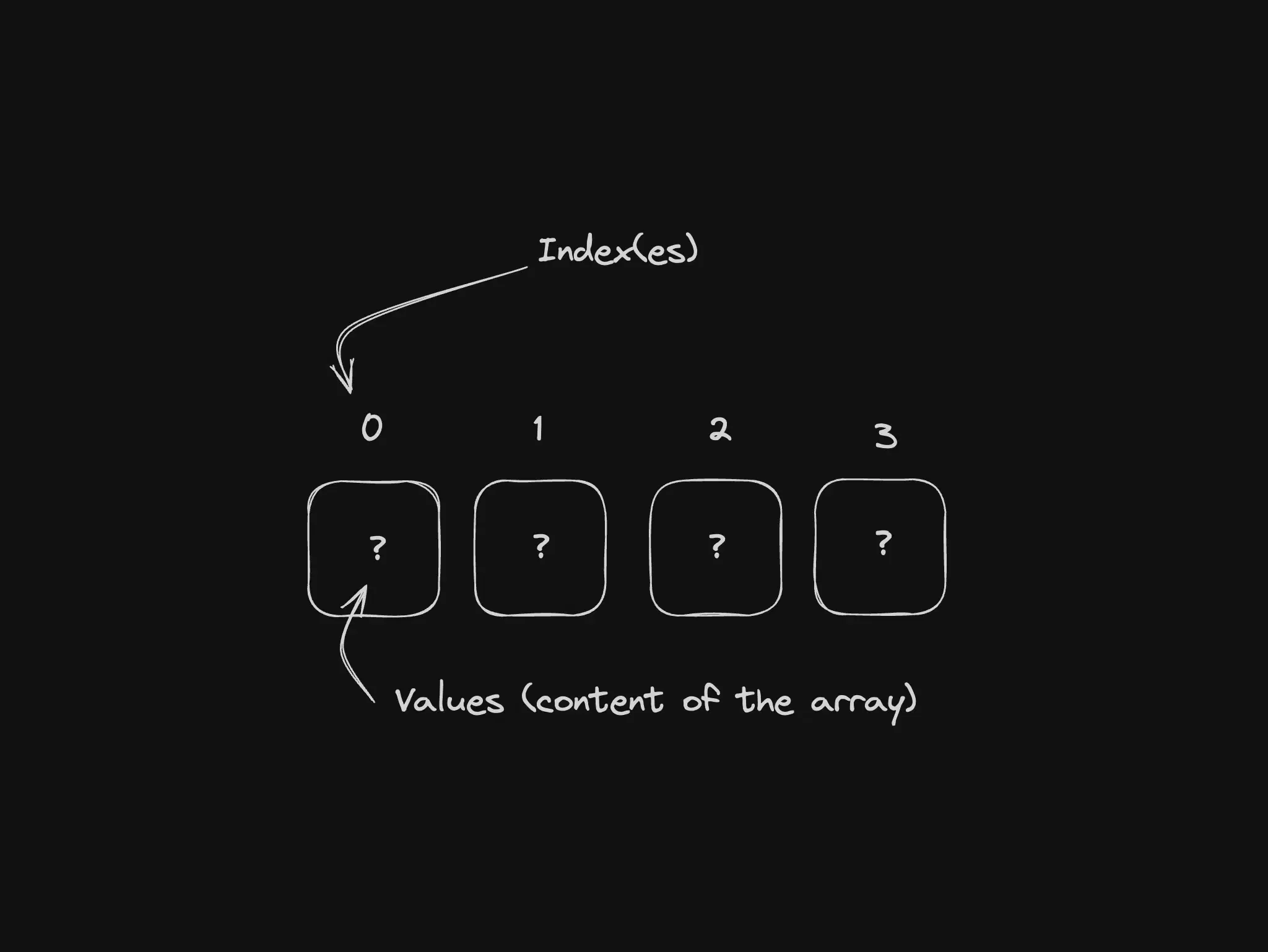
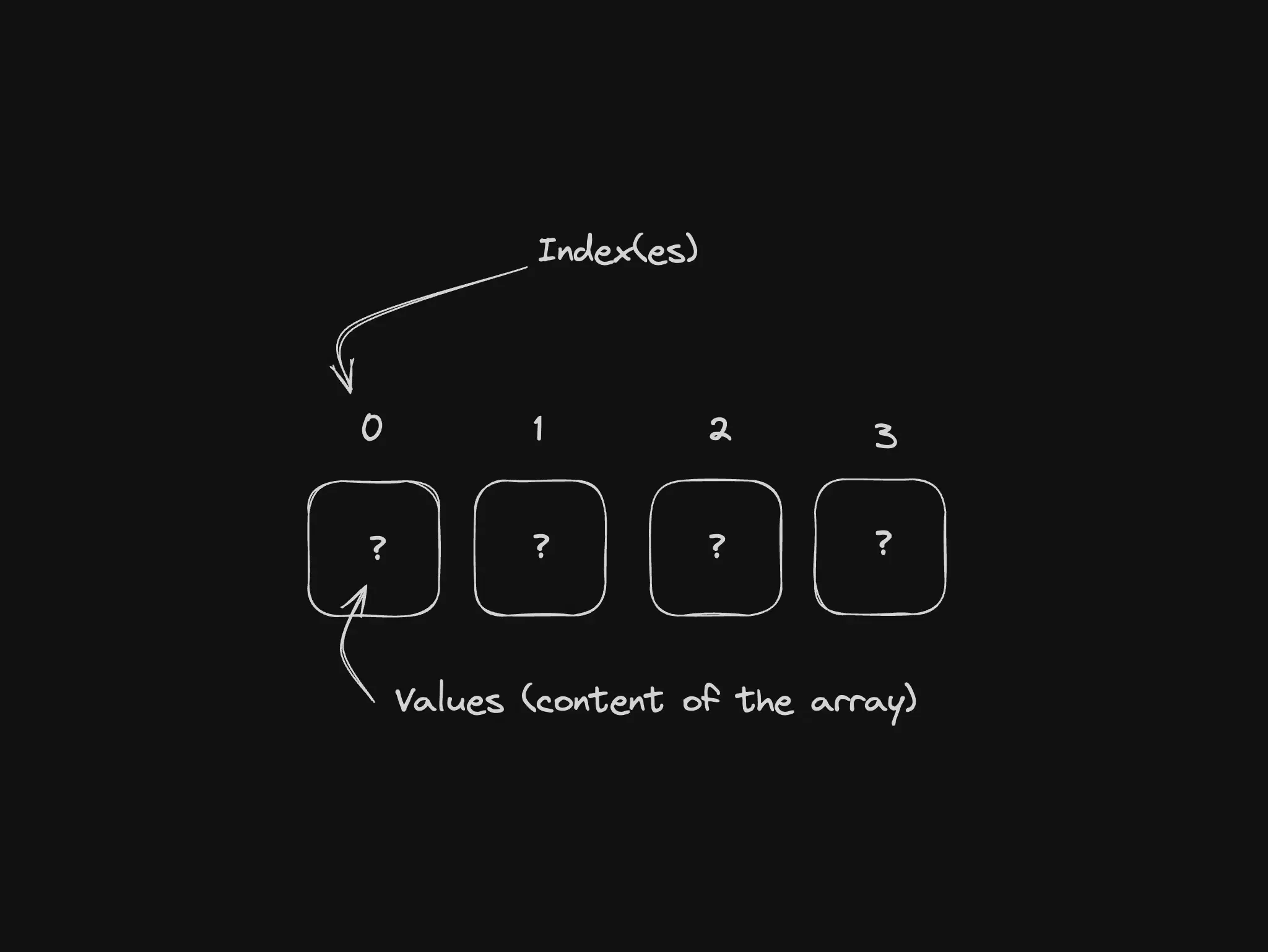
We create a new array called table with the specified size and set the size property.
We have a _hash function that takes a key parameter and calculates the hash value based on the key's characters and their ASCII values.
The hash value is calculated by the sum of all ASCII values of each character in the key
Then the ASCII value is multiplied by its own position in the key (array)
Then we calculate the module value of the result using the table size to get the final hash value
The _hash function seems a bit complex at first, and it's a bit tricky to understand, but remember, the goal is to have a hash value and this hash value is the key that leads to an element in our table...Of course, for testing purposes, you can have a much simpler hash function that returns a random value or something like that, the idea here is to have a base and be sure that the hash value is unique for each key.
If you want to understand and go a little deeper, this _hash function is a simple implementation of the "djb2" Hash Function which is a hash function used in many applications.
Now let's move on and implement a few more things, inside the HashTable class right after the _hash function we will add the set, get, and remove functions:
code
set(key, value) { const index = this._hash(key); console.log('#set: setting a new value on the hastable', { index, key, value }) if (!this.table[index]) { this.table[index] = []; } this.table[index].push([key, value]);}get(key) { const index = this._hash(key); console.log('#get: getting the value from the hastable', { index, key }) const items = this.table[index]; if (items) { for (let item of items) { if (item[0] === key) { return item[1]; } } } return undefined;}remove(key) { const index = this._hash(key); const items = this.table[index]; if (items) { for (let i = 0; i < items.length; i++) { if (items[i][0] === key) { items.splice(i, 1); return true; } } } return false;}
I won't go deeper into the functions above with a step by step, because the logic itself is simple, all of them use the _hash function to calculate and find out what is the index (the hash) of the element we are going to set, get, or remove, and then using this index (hash) we actually do the set (insert), get (search), and remove an element.
Now let's test this thing, we will create a new instance of our HashTable and add some elements to it, and then we will get these elements, let's add this code at the end of our file:
code
const hashTable = new HashTable()hashTable.set('hello', 'world')hashTable.set('hash', 'table')
In the code above, we are creating a new instance of our HashTable and adding two elements, one with the key hello and value world and another with the key hash and value table.
Now let's add some logs and get these elements from our table, add this following code and then we will run this JS file:
code
console.log('\n#when getting "hello" from table, result should be = "world"')const resultGetFoo = hashTable.get('hello')console.log('# result:', { result: resultGetFoo,})console.log('\n#when getting "hash" from table, result should be = "table"')const resultGetBaz = hashTable.get('hash')console.log('# result:', { result: resultGetBaz,})
Now open your terminal, navigate to the folder where you saved the hash-table.js file, and run the code:
code
node hash-table.js
You should see the logs we added in the code above, and the results of the get function:
code
# set: setting a new value on the hastable { index: 85, key: 'hello', value: 'world' }# set: setting a new value on the hastable { index: 39, key: 'hash', value: 'table' }# when getting "hello" from table, result should be = "world"# get: getting the value from the hastable { index: 85, key: 'hello' }# result: { result: 'world' }# when getting "hash" from table, result should be = "table"# get: getting the value from the hastable { index: 39, key: 'hash' }# result: { result: 'table' }
So, quick dive into the result above:
We created a new instance of our HashTable and added two elements, one with the key hello and value world and another with the key hash and value table
When we add the set function runs and we can see in the first 2 lines that the log shows us the index, the key, and the value we are adding, this means that before we add a new item to our table, the index is already calculated and we know where to put the element in the table, thanks to our _hash function, we can see this log 2 times, one for each element we added ("hello" and "hash")
Then we run the get function for each one of our elements and we see that the result is as we expected, the value we added is the value we got back, and we can see in the log that we don't need to go through the whole table to find "hello". The first thing that the get function does is calculate the index (hash) and go straight to the index where the key "hello" is stored, and the same happens with the key "hash". This is where we see the power of HashTables, imagine if there were a million items stored in this table, if it wasn't hashed, we would have to go through who knows how many items until we find the value, but with hash, we go straight to the index where the key is.
I'll leave you here with this code to play and test, if you want, you can add more elements, remove, etc... and if you have any questions, just let me know and we can help each other.
Edge cases: collisions and object keys
Two keys can land in the same bucket — without chaining or probing, the second write wins silently.
Can I use {} as a hash table? Keys are coerced to strings. Map accepts any key type and is the production default in modern Node.js.