jonathanjuliani
Implementing Maps and Sets with Node.js and JavaScript
Map and Set in modern JavaScript: any-type keys, deduplication, and when to choose them over plain objects or arrays in practice.

{} only allows string/symbol keys; arrays do not dedupe. Map and Set (ES6) cover object-keyed caches and unique collections without hacks.
What you'll learn:
MapAPI: set, get, has, deleteSetfor uniquenessMapvs plain objects- Link to hash tables (ep. 8)
Prerequisites: hash tables (ep. 8).
Map and Set: key-value and uniqueness
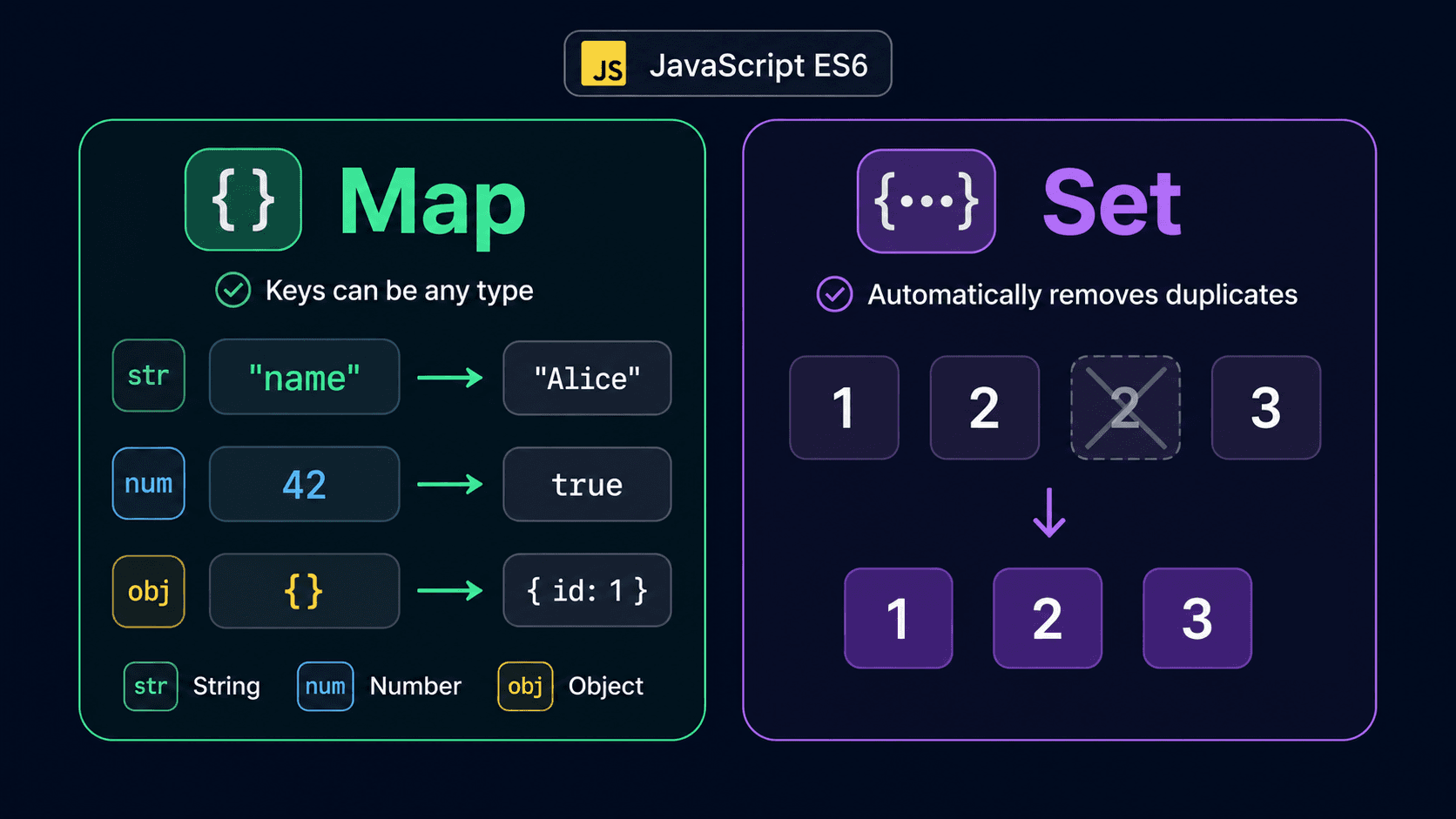
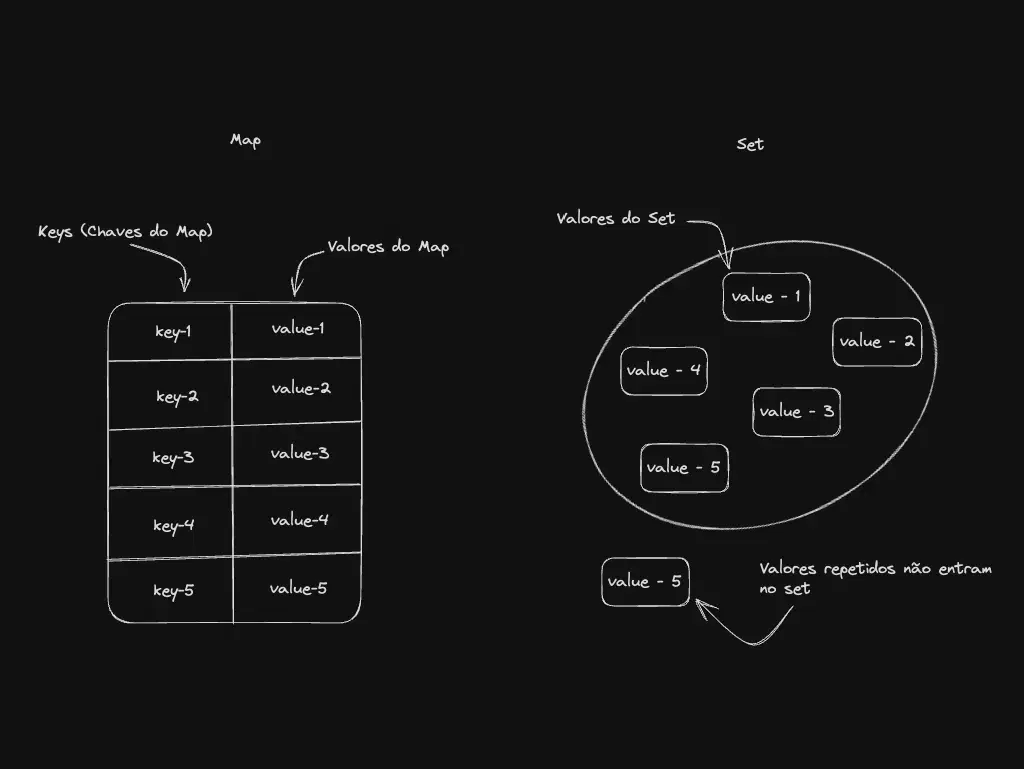
Maps and Sets are well-known data structures; we often use them daily without thinking of them as “structures” the way we do arrays or trees. Maps store key–value pairs with unique keys. Sets store unique values. In the ECMAScript 6 (ES6) era, JavaScript and Node.js gained built-in Map and Set types that make working with these patterns clearer and often more efficient.

Hands on
A Map is a collection of key → value pairs where each key is unique. Values can be any type (number, object, etc.). Unlike plain objects, map keys can be any type too—including objects, functions, or primitives.

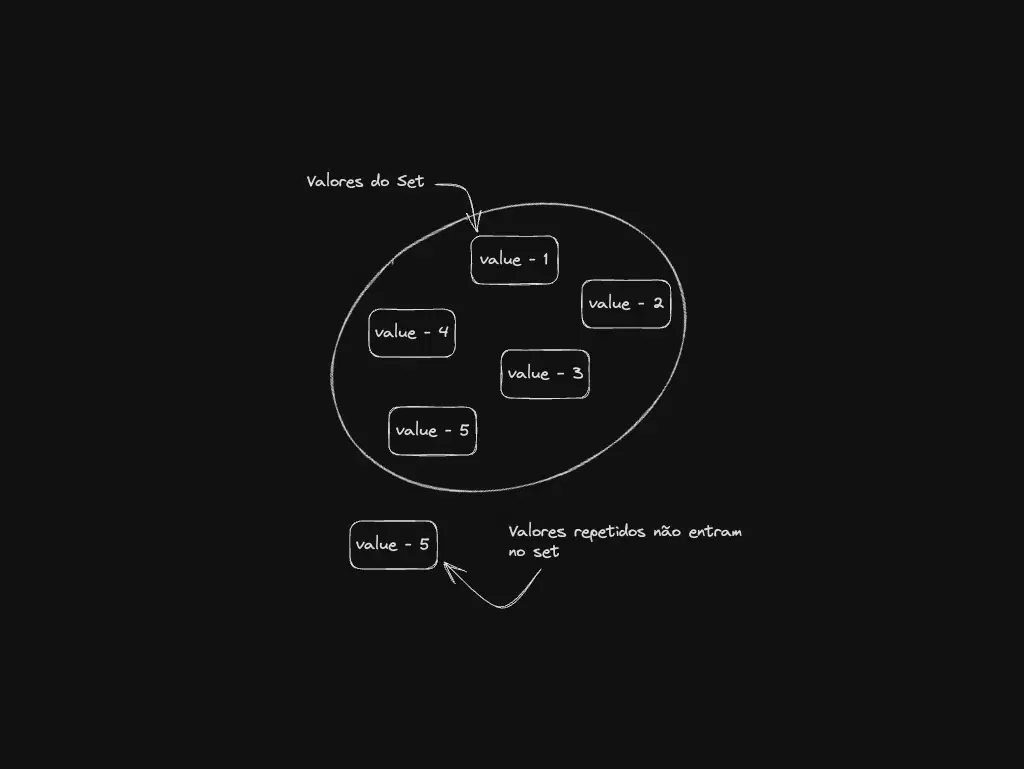
A Set is a collection of unique values. Values can be any type. Sets are useful whenever you must avoid duplicates.

Let’s code
Open your editor, create map-and-set.js, and start with Map:
const map = new Map()
map.set('key', 'value')
map.set({}, 'object as key')
map.set(() => {}, 'function as key')
map.set(1, 'number as key')
map.set('key2', { key: 'key in the map value object' })
console.log(`map:`, map)
console.log(`map get "key":`, map.get('key'))
console.log(`map has "key2":`, map.has('key2'))
console.log(`map get "key2":`, map.get('key2'))
map.delete('key')
console.log(`map deleted "key":`, { map })What this does:
new Map()creates an empty map.set(key, value)inserts or updates a pair.- Keys can be strings, numbers, objects, or functions—as shown above.
get(key)reads a value;has(key)checks membership;delete(key)removes a key.
Now the Set:
const set = new Set()
set.add('item1')
set.add('item2')
set.add('item3')
set.add('item4')
set.add('item5')
console.log(`set:`, set)
console.log(`set has "item2":`, set.has('item2'))
console.log(`set keys:`, set.keys())
set.add('item1')
console.log(`set add "item1" again:`, set)
set.delete('item1')
console.log(`set deleted "item1":`, set)addinserts a value; duplicates are ignored.hastests membership;keys()returns an iterator over entries (values behave like keys in a set).deleteremoves a value.
Where you’ll use them
Maps
Use a Map when you need fast key–value access and updates—caches, indexes, or any structure where keys are not limited to strings/symbols in the way plain objects are.
Sets
Use a Set when the collection must not contain duplicates—deduping IDs, tracking active sessions, or a todo list where the same item should not appear twice (as a simple example).
Edge cases: object keys and NaN
map.set(obj, 1) only reads back with the same object reference.
Set uses SameValueZero — NaN equals NaN, unlike ===.
TL;DR — Map vs Set
| Use | When |
|---|---|
| Map | key → value, any key type |
| Set | membership / dedupe |
| simple string-key records |
Next steps
Before you go
Where did Map or Set unblock you? Flag mistakes in the post.
Subscribe to the Engineering Ledger
Get architecture and performance notes in your inbox. Same list as the timed prompt—subscribe here anytime.
Related articles

Data Structures and Algorithms - A Summary of The Most Used Ones
Practical overview of the data structures and algorithms you use most in JavaScript/Node.js — with examples and links to go deeper.
Read story
Implementing Arrays with NodeJS and Javascript
JavaScript arrays in Node.js: essential methods, immutability patterns, and when an array beats other structures. Hands-on guide.
Read story